
Arena Breakout Elite
Arena Breakout cheats with aimbot, player and AI ESP, snaplines, corpse ESP, combat mode, and configs.
At a glance
Key capabilities
What Elite focuses on before you open the full module list.
Plus 33 additional modules in the operator portal—see the full list below.
Overview
Built around a full Arena Breakout operator workflow
How this build fits ranked raids, extracts, and patch-day workflows.
Arena Breakout Elite is the private build with aimbot options, player and AI ESP, corpse ESP, combat mode, and priority patch delivery. The loader includes the full overlay and combat stack—no extra SKUs to unlock inside the portal.
Elite slots are limited so patch cycles stay fast and builds stay maintainable. Direct dev support in Discord helps you tune conservative profiles before ranked. Check the status banner on cheatsarenabreakout.com before purchase.
Arena Breakout Elite is the private build for players who want everything—aimbot options, player ESP, corpse ESP, configs, HWID tools, and direct developer support. Limited slots keep the build maintainable and patch cycles fast.
Use Elite responsibly
Elite power demands disciplined profiles. Test in lobbies, start with portal conservative presets, and scale up over days—not minutes. Staff in Discord help Elite users tune before their first ranked queue.
Aimbot, ESP, and configs
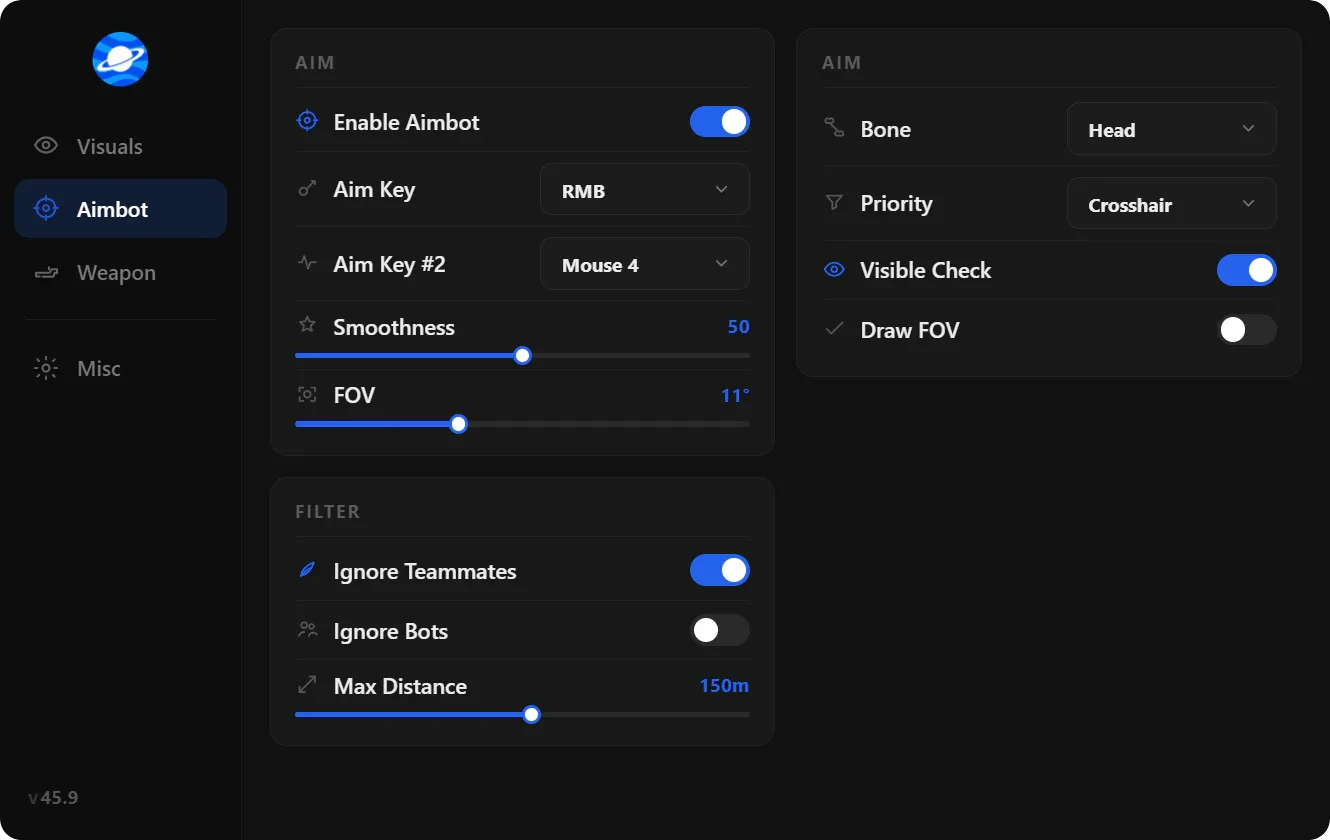
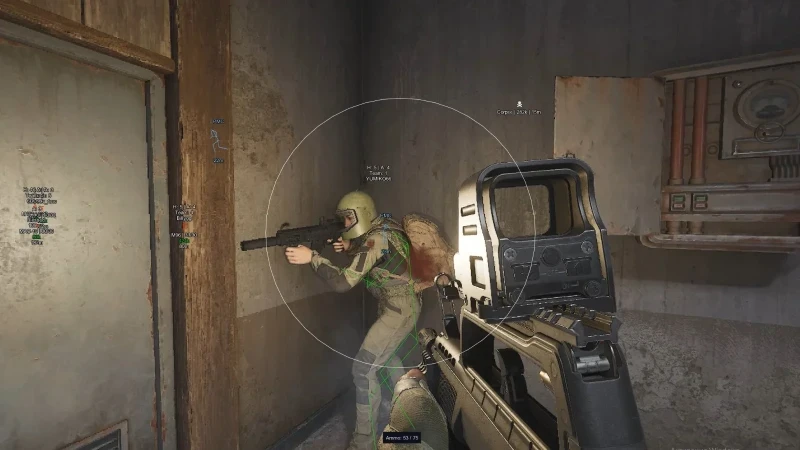
Aimbot with akimbo, visible check, smoothness, and FOV, plus player and AI ESP, snaplines, corpse ESP, and configs. Use lobby testing before ranked—Elite power requires disciplined profiles, not rage settings.
Availability
Elite shows as limited slots on the status banner. Open a Discord ticket if checkout is gated—staff confirm slot availability before purchase.
Modules
What's included
Every module and overlay shipped with Elite—toggle and tune in the operator portal.
- Enable Akimbo
- Visible Check
- Ignore Knocked
- Draw Target Line
- Draw FOV
- Max. Distance
- Custom Keybind for Mouse
- Aimbot Filter
- Aimbot Smoothness
- Aimbot Speed
- Aimbot FOV
- Player ESP
- AI ESP
- Enable
- Inventory List
- Box
- Distance
- Name
- Team Index
- Weapon Type
- View Direction
- Health Bar
- Head Circle
- Snaplines
- Skeleton
- Inventory Price
- Level
- Side
- Enable Player Corpse ESP
- Enable AI Corpse ESP
- Price
- Max Distance
- Minimum Price
- Crosshair
- Font Size
- Combat Mode
- Create config
- Save config
- Load Config
- Delete Config
Experience
In the client · After you buy
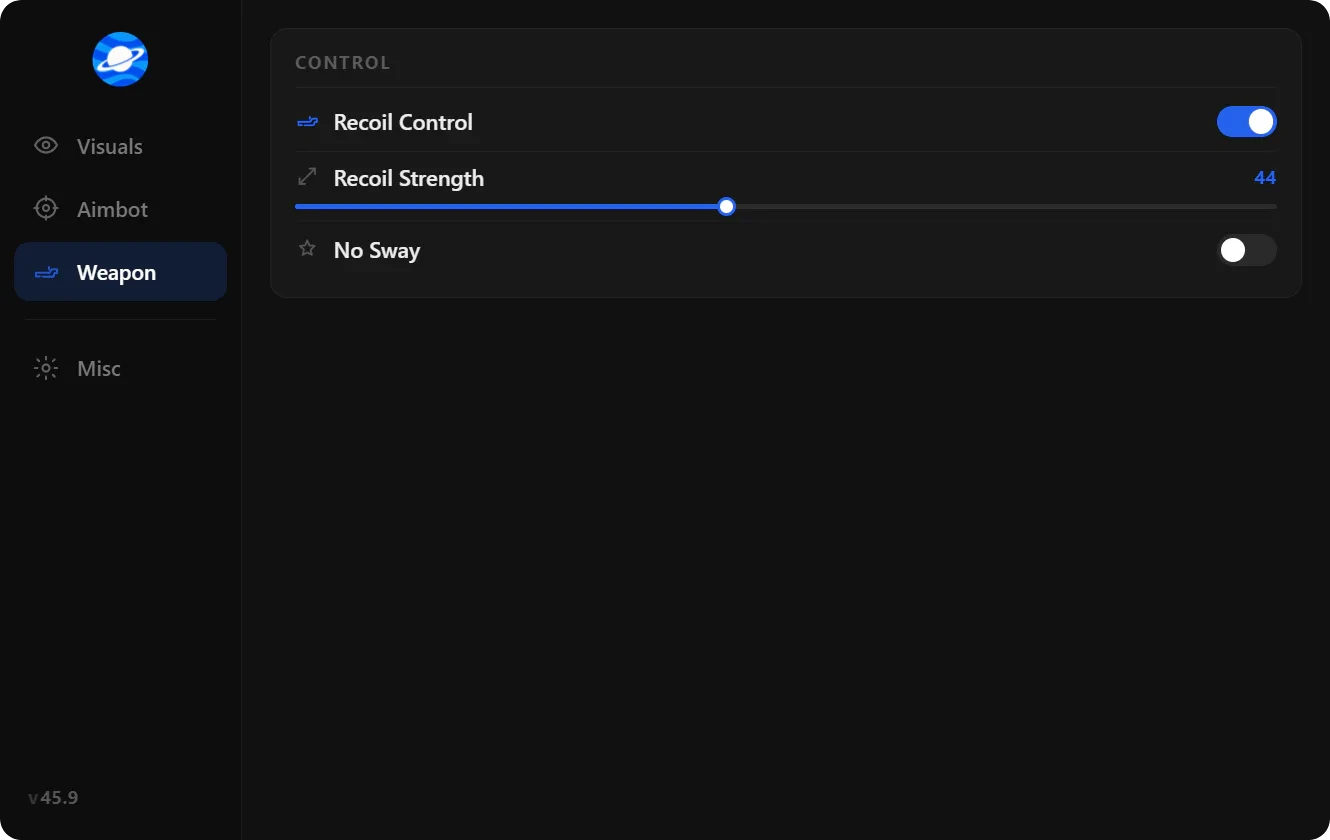
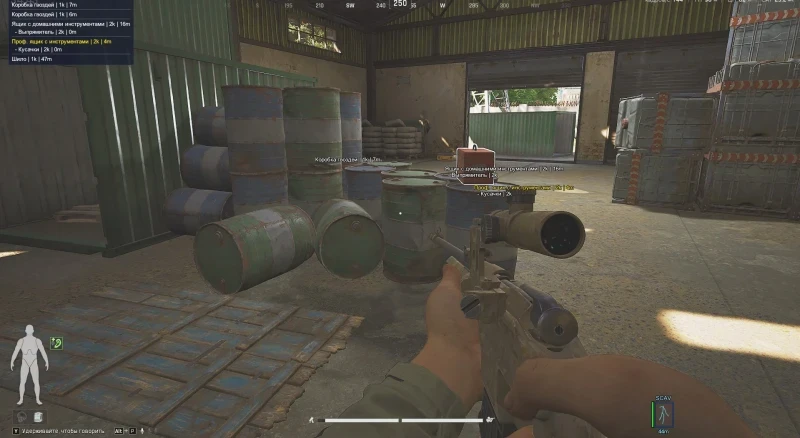
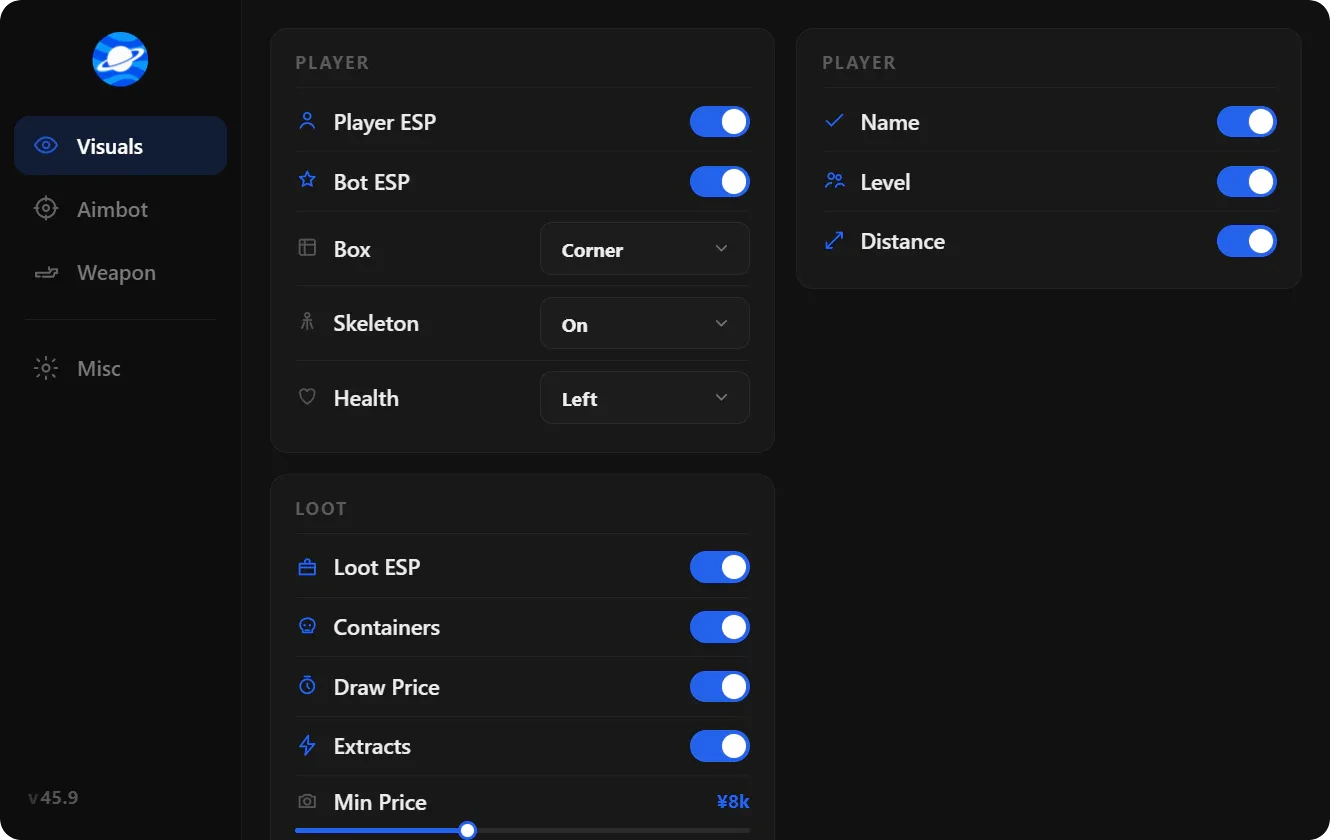
Use the screenshots above for Elite—below is what each layer means and how access works after checkout.
In-game layers
- Layer A
Finisher timing
Confirm the downed player when extract pressure is highest.
- Layer B
Loot routes
Efficient compound looting and extract paths after spawn.
- Layer C
Skin preview
Local cosmetic swap and loadout preview before you raid.
Guides
Learn more about Elite
Curated articles for setup, tuning, and patch-day checks that match this product.
Arena Breakout aimbot settings: visible check, draw FOV, target line, max distance, mouse keybind, speed, and smoothness on Infinite PC.
Arena Breakout ESP on PC: player ESP, box ESP, skeleton, health bar, names, distance, inventory, and corpse ESP with max distance.
What an HWID spoofer changes on PC: hardware IDs, ACE device bans on Arena Breakout Infinite, and how it differs from aimbot or ESP.
What Arena Breakout cheats means on PC: aimbot, ESP, configs, ACE on Steam, and how operators read cheaters in raids.
Arena Breakout Infinite cheats on Steam: overlay features, ACE kernel detection, Discord vs portal builds, and how configs adapt after patches.
Arena Breakout cheat config guide: create, save, load, and delete overlay profiles for aimbot, ESP, and map-specific raids on Infinite.
FAQ
Questions about this page
Answers tied to what you are reading—visit the FAQ page for every topic.